/Prime-Care-Technologies-Logo.png?width=191&height=55&name=Prime-Care-Technologies-Logo.png)

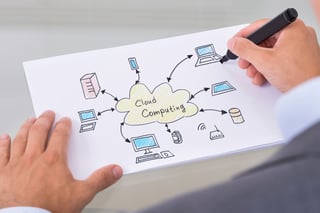 Normally, our blogs address either high-level views of revenue cycle management with an emphasis on billing automation. Or we get into the nitty-gritty of how-to’s for those who either prepare and submit the claims or supervise those who do. What we have discovered, though, among our contacts and clients from the C-Suite to the billing office is that many have asked us, “What is the cloud?” Haven’t you used a word almost all your life, but have never really looked up its definition? Then one day, you find yourself using the word in a conversation only to question your understanding and use of the word. Well, one of those words, we’ve discovered, is the “cloud”. So let’s give you a very quick and stratospheric overview. Here goes.
What is the cloud?
Never mind the distracting diagrams of arrows pointing to or away from a line rendering of cloud-to-computer relationships. (Disclaimer – there are several definitions of the cloud, but for our purposes, we’ll limit it to Software-as-a-Service or SaaS.) In this case, the applications and data you use reside somewhere other than in your computer or on your company’s network. Instead you access these as a service over the Internet. Hence, SaaS. They are located somewhere in the “cloud”. When you “Google” something, you are using the cloud. Are you a TurboTax customer? Likely you prepared and filed your taxes on line. That was the cloud. Have you purchased or sold anything on eBay? That was the cloud. You don’t know where exactly the servers containing the application and your data or transactions reside, but they are out there in a secure data center environment.
Why the cloud?
Simply put, someone else is managing the service for you. You don’t need to build, staff, manage hardware and software licenses, upgrade, and fix. You leave the job to someone else while you focus on what you need to do without unnecessary distractions. You also only use as much of the service as you need.
It’s like a utility. You pay for it on demand, such as the TurboTax example, or on a subscription basis, like our primeCLAIMS application.
No hassles for you. The application and your data are accessible anytime from anywhere you have a secure connection to the Internet.
What does that mean to Revenue Cycle Managers?
Revenue Cycle Management is complicated enough without worrying about and hassling with the hardware and software needed to prepare, process, submit, and monitor your claims until payment arrives. Using the cloud is simple. You focus only on the revenue collecting tasks at hand and what clearinghouse provides the best solution to meet your needs.
Summary
The cloud has revolutionized how you can monitor and manage claims through a clearinghouse. It speeds up the process, making the process practically transparent. It’s a win-win for all concerned. Just choose carefully. It just make cents.
 This is the time of year to open the windows, air out the house, deep clean long neglected spaces, and tidy up. For AR managers, it’s also a good time to “spring clean” the revenue cycle in a few key ways.

 In a recent
  This month’s revenue cycle management blogs explored a number of topics, including the basic concepts of a claims clearinghouse, how to ensure managed care claims flow smoothly, 3 ways to help your back office runs smoothly, and 8 ways to avoid False Claims Act pitfalls. Here are some highlights from each and links to access each blog in full.
 Now would be a good time to get back to the basics, the essentials, of what a clearinghouse is and offers. “Clearinghouse 101” – an introduction to the some of the critical features and benefits of a claims clearinghouse. Whether you are using one today or not, take a peak. You may find some of the following tips and points useful.
/Prime-Care-Technologies-Logo.png?width=122&height=35&name=Prime-Care-Technologies-Logo.png "Prime-Care-Technologies-Logo")